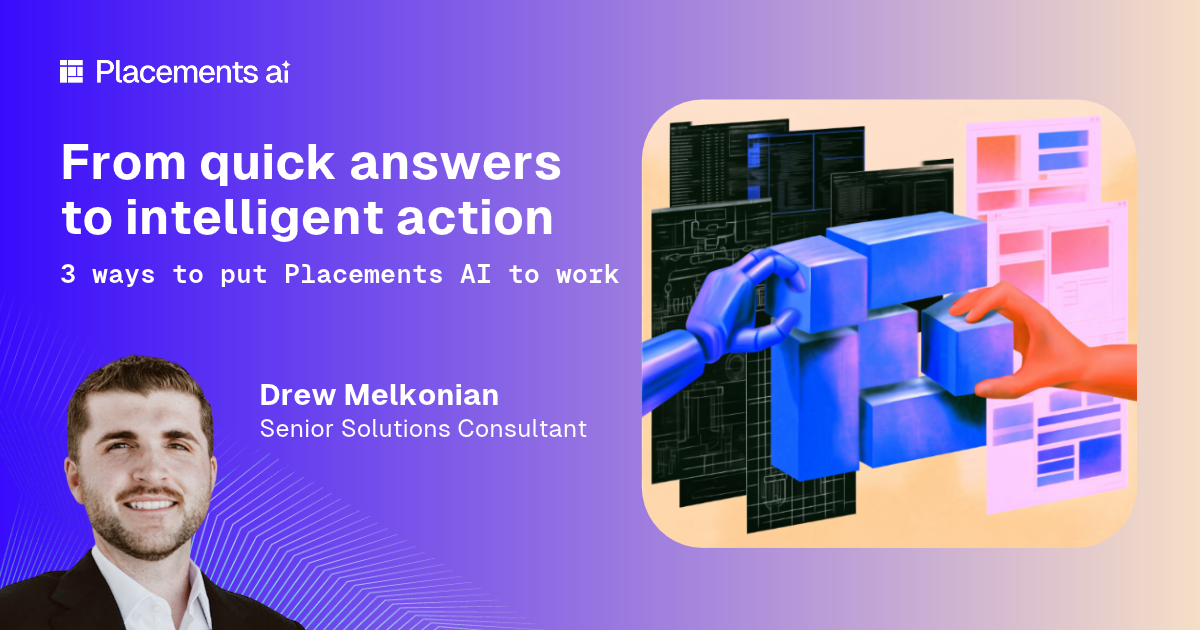
Most people start using Placements AI by asking questions, such as which campaigns are behind on delivery. That is a good place to start, but it is only scratching the surface.
Placements AI can also take action. It can understand instructions, analyze information, and carry out tasks that would normally take hours of manual work. That could mean finding and fixing inconsistencies across campaigns, checking a media plan against a client’s brief, or turning a spreadsheet into a built campaign.
I want to walk through three examples of how this works in practice, starting with something simple and building up to more advanced workflows. Whether you are new to Placements AI or already use it every day, each one shows how it can take on the repetitive work so you can spend your time on the decisions that need your judgment and strategy.
Two key terms come up along the way that are worth knowing about.
- A saved prompt is an instruction you write once and reuse with one click.
- An agent is that same kind of instruction running on its own, on a schedule or at a set point in your process, so nobody has to remember to start it. You choose what it does and when it runs.
Both give you ways to put Placements AI to work without having to start from scratch every time.
If you have built something like this yourself in Placements AI, we want to see it. Details are at the end, including a $100 gift card (or local currency equivalent) for the submission we find most interesting and impactful!
Keep campaign data accurate without manual updates
Let’s say your team uses a custom field called “Season Target” to categorize line items for reporting. A line item (one buy within a campaign) running in August might be tagged as Back-to-School, while one running in December is tagged as Winter Holidays.
That works until the campaign dates start shifting. A flight gets pushed back two weeks, but the Season Target field stays the same. Now your reporting is based on outdated information, and nobody necessarily knows there’s a problem.
Instead of checking every line item yourself, you can ask Placements AI to find the inconsistencies and help fix them.
Here’s an example of a prompt that does exactly that:
Review every line item across my Campaigns in PAI. The custom field ‘Season Target’ should be Back-to-School for lines running Aug 1 to Sep 15, Winter Holidays for lines running Nov 15 to Dec 31, and blank otherwise. List the lines where the field doesn't match the dates, then update them after I confirm. If a line spans two seasons, don't change it and tell me.
What’s useful here is that you’re not just asking AI to update a field. You’re giving it the context in plain language to figure out which records need attention, identify exceptions, and let you review the changes before anything is updated.
Once the prompt works the way you want, you can save it so your whole team can run the same check with one click. You can also turn it into an agent that runs on a weekly schedule, so the check happens automatically. Instead of spending an entire afternoon hunting down outdated fields, you can focus on reviewing the exceptions and making the decisions that actually need your input.
Already using Placements? You can view a deep dive into Saved Actions in this help center article.
Catch campaign issues before they reach launch
Picture a campaign that is ready to launch. Everything looks right, but there is a problem hiding in the details: the client’s brief specifically rules out TikTok, and the media plan includes a TikTok product. It’s an easy detail to miss, especially when you’re managing a dozen other campaigns in flight and trying to get everything out the door.
This is where a Placements AI agent can help.
To solve this, a QA agent reviewed a media plan against the client’s brief and caught that exact issue. It held the campaign and opened a ticket for the planner explaining what needed to be fixed. Once the planner updated the plan and requested another review, the agent checked it again and approved it. The whole exchange happened inside the team's normal approval process, without someone having to shift their focus to review the brief and the plan.
What makes this different from traditional approval rules is the ability to understand context. Approval rules are great at exact checks, like whether a field is filled in or a budget is under a limit. But a client’s brief isn’t always that straightforward. It might include specific requirements, restrictions, or instructions written in plain language. With Placements AI, you can define what the agent should look for, and it can review campaigns against those criteria as part of your workflow.
The goal isn’t to take people out of the process. It’s to catch issues earlier, handle routine checks automatically so they stop piling up, and give your team more time to focus on the exceptions where their judgment matters most.
Already using Placements? You can view a deep dive into this use case and enablement steps in this help center article.
Turn a spreadsheet into a built campaign
If you’ve ever had to build a campaign from a media plan spreadsheet, you know how much manual work can go into it.
Most agencies and advertisers have a version of this spreadsheet: a media plan with a tab for each platform and hundreds of rows of placements, dates, and rates. Before anything can run, someone has to key it into the order management system, and then key it in again for each downstream platform.
It is time-consuming, repetitive, and every retyped row is another chance for an error.
Instead, you can upload that spreadsheet to Placements AI and have it do much of that setup work for you.
Placements AI reads the file, applies the business rules your team configured during implementation, and builds a draft of the plan as campaigns, groups, and placements in your account, ready for you to review. Even a plan spanning platforms like The Trade Desk, Facebook, and TikTok can live under one campaign in Placements instead of three separate setups.
The important part is that you’re not just importing rows from a spreadsheet. Placements AI is interpreting the plan and using that information to build the campaign structure, saving your team from having to re-key everything manually. That means more time spent on the plan itself and less time on data entry, with everyone working from the same plan instead of separate copies of a spreadsheet.
And you’re still in control. Creating the campaign and pushing it to the platforms are separate steps, so nothing goes live until you’re ready. Any team-specific requirements, like naming conventions, are set up with your implementation team before the first upload.
Already using Placements? You can view a deep dive into this use case and enablement steps in this help center article.
What makes these possible
Four capabilities sit underneath these examples, and each works on its own.
- Saved prompts turn an instruction you run every week into a one-click shortcut for you or your team.
- Agents run an instruction automatically, on a schedule, when something is created, or at a step in an approval workflow.
- File upload lets you hand Placements AI a spreadsheet, a customer-facing PowerPoint deck, a call transcript, a CSV and more, and ask questions about it or build from it.
- One conversation can move from finding data, to analyzing data, to acting on it, so you do not switch tools between steps.
Show us how you’re using Placements AI
Your workflow could be our next AI inspiration.
Have you built a saved prompt or agent that’s made your day easier, saved your team hours, or solved a challenge in a creative way? We’d love to see it.
Share your favorite Placements AI prompt or agent for a chance to win a $100 gift card, or the equivalent in your local currency.
We’ll select the submission that demonstrates the most creative and impactful use of Placements AI. Whether it’s a simple one-line instruction or a sophisticated workflow, we want to know what you’ve built.
Entries close Friday, December 18. The challenge is open to all Placements AI clients. Our team will select the winner based on creativity, impact, and how easily others could use it. By submitting, you agree we may feature your entry in the way you choose on the form.
Submit your prompt or agent here →